No products in the basket.
- Home
- /
- Blog
- /
- Control Surface Studio
- /
- General
- /
- CSS3 FAQs

No products in the basket.
Which versions of Ableton Live does Control Surface Studio 3 work for?
Ableton Live versions 11 & 12 is supported by CSS3.
Although we no longer officially support Live 9 & 10 with CSS3, at the time of writing, MIDI remote scripts generated using CSS3 do still work with these versions of Ableton live.
This may change in future however and we recommend upgrading to at least Ableton Live 11 at this point.
Can I use Control Surface Studio without an internet connection?
No. An internet connection is required in order to do either of the following.
1. to login
2. to generate scripts (when you click the big orange button)
Is there a free/trial version of CSS which I can try?
While we don’t offer a free version of Control Surface Studio, we do provide a 14-day money-back guarantee. This means you can purchase and essentially try CSS risk-free.
If you decide it’s not right for you within 14 days, simply contact us for a full refund (minus Paypal or Stripe processing fees). This gives you the chance to explore all features of CSS without limitations and ensure it meets your needs.
How do I create a user account on the Remotify.io website?
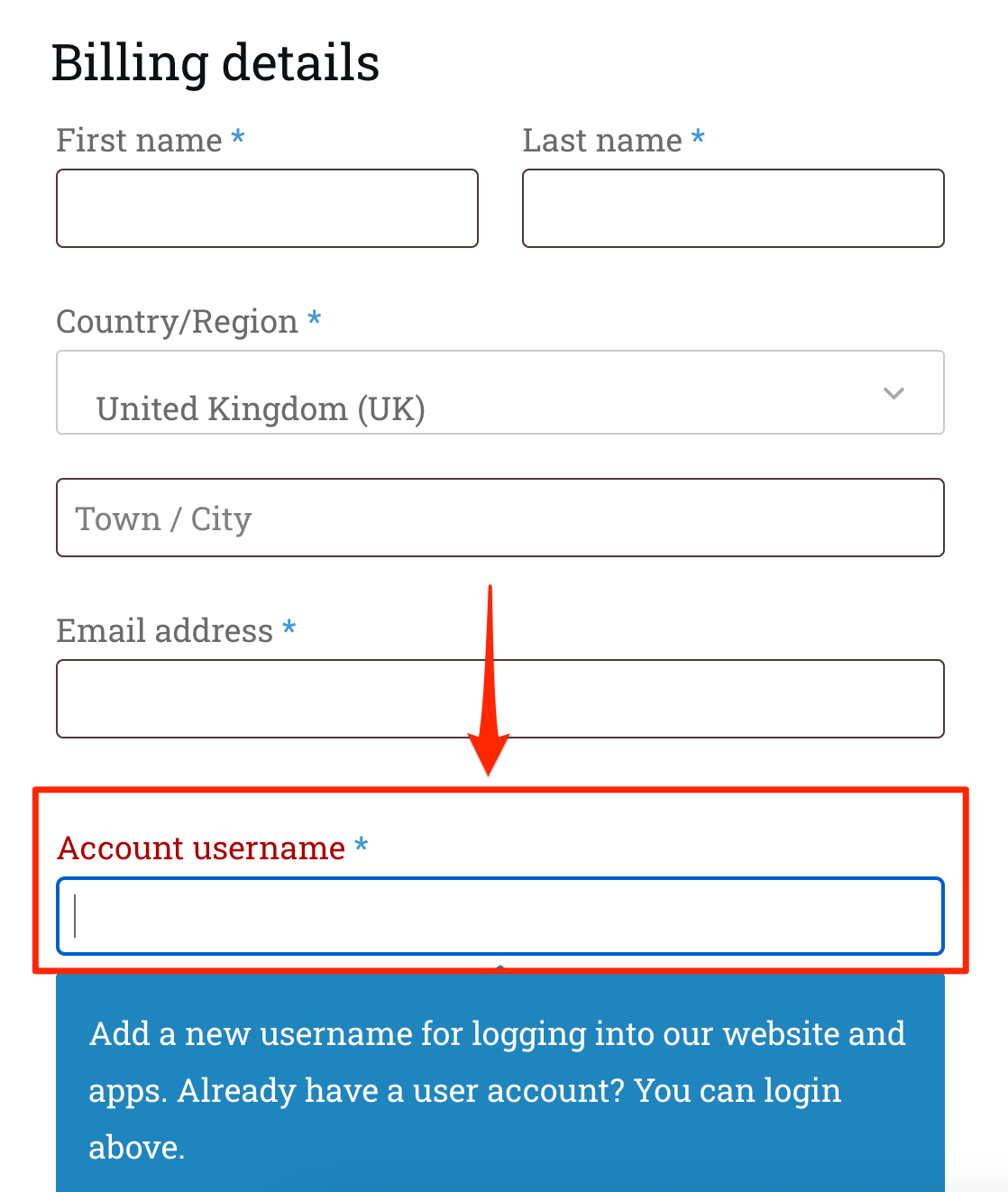
Your user account is created automatically during checkout. When you reach the checkout page, you'll be prompted to enter an Account username and email address. Once your purchase is complete, these details are used to create your account. You’ll receive an email with your login information and a link to set your password.
This account gives you access to your downloads on the website (where you can download the app) and you can use these details to login to Control Surface Studio.
See the image below for where to enter your username during checkout.
Do I need to generate a new script for every update to Ableton?
You only need to generate a new script when there is a major version update of Ableton Live (e.g., from 11 to 12, or 12 to 13). For minor version updates (e.g., 12.1, 12.2, 12.3), you can continue using the same script — no changes are usually needed.
Can I edit factory/default midi remote scripts with the App
No. Only scripts which were originally created using Control Surface Studio can be edited.
Note: you will need the json file which comes with the script to do this.
My script isn't working in Ableton Live, what should I do?
If you have generated a script into Ableton live using CSS but it isn't showing, there are a few steps to walk through which could be causing this to happen.
See our step-by-step guide on how to fix it.
Why does the App in your video tutorials looks different to mine?
We had a major overhaul of the User Interface for CSS version 2.8. So the layout of older video tutorials will look different.
Although the layout has shifted around, the concepts explained in our videos still remain exactly the same. For more details, this video explains the changes in version 2.8: https://youtu.be/GeMFgf1VRwU?si=_D7YitX8H1eC0skz
Our Knowledge Base is actively maintained for the latest version of Control Surface Studio.
Can I Distribute / sell scripts which I create with Control Surface Studio?
Purchasing Control Surface Studio only allows scripts to be used for personal use.
Distribution of scripts generated using Control Surface Studio is not allowed.
If you are looking to distribute your scripts commercially / sell them. Please contact us, including full details about your project.
See our End User Agreement for more details.
I get an Error when trying TO INSTALL The App
Please see the following page for how to fix any installation issues for your operating system: Installation Troubleshooting
The layout of CSS looks broken When I open it. How do I fix it?
Please see this Knowledge Base article on how to fix it.