
No products in the basket.
![Massify X - Massive X Control For Midi Fighter Twister [Ableton Live]](https://remotify.io/wp-content/uploads/2025/12/MassivIFY-X-cover-Script-Cover.png)
![Massify X - Massive X Control For Midi Fighter Twister [Ableton Live] - Image 2](https://remotify.io/wp-content/uploads/2025/12/Massify-x-auto-maps-to-params-only-on-the-selected-track.png)
![Massify X - Massive X Control For Midi Fighter Twister [Ableton Live] - Image 3](https://remotify.io/wp-content/uploads/2025/12/Massify-x-FINDS-MAPS-IT-ANYWHERE.png)
![Massify X - Massive X Control For Midi Fighter Twister [Ableton Live] - Image 4](https://remotify.io/wp-content/uploads/2025/12/Massify-x-LED-Feedback.png)
![Massify X - Massive X Control For Midi Fighter Twister [Ableton Live] - Image 5](https://remotify.io/wp-content/uploads/2025/12/Massify-x-Selected-parameter.png)
![Massify X - Massive X Control For Midi Fighter Twister [Ableton Live] - Image 6](https://remotify.io/wp-content/uploads/2025/12/Massify-x-Live-MIDI-mapping-mode-2.png)
![Massify X - Massive X Control For Midi Fighter Twister [Ableton Live] - Image 7](https://remotify.io/wp-content/uploads/2025/12/Massify-x-8-Virtual-Pages.png)
Massify X – Massive X Control For Midi Fighter Twister [Ableton Live]
£18.00
Instantly maps your Midi Fighter Twister to the parameters of Massive X on the currently selected track of Ableton live.
Simply select a track and you’ll have instant, hands-on control of Massive X’s parameters on that track only.
- Perfect when using multiple Massive X instances in your Ableton Live project – tweak one at a time without needing to re-map each time.
- Control up to 128 parameters per Massive X instance, across 8 virtual pages.
- Auto maps to Massive X anywhere in the Ableton Live Device Chain.
- Native, lightweight MIDI Remote Script – no Max for Live or extra devices need to be added in your Ableton Live project.
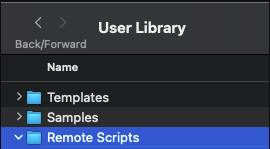
- Install once, use instantly in every Ableton Live project – its always ready as soon as you open a Live set.
- Massify X is part of our Synthify product range.
Control Massive X On The Selected Track
Massify X automatically maps your Midi Fighter Twister's encoders to the parameters of Massive X on the currently selected track.
Whenever you select a new track, Massify X automatically re-maps your Midi Fighter Twister to the instance of Massive X on the new track.
There's no need to re-map each time you want to control a different Massive X instance.
Finds Massive X anywhere in the Device Chain
It automatically finds and maps to Massive X no matter where its located in the track's device chain.
Assign up to 128 Parameters across 8 virtual Pages
Select up to 128 parameters per Massive X instance using the Configure tab in Ableton.
Sort them into the order that suits your own workflow..
Parameters are automatically grouped into 8 virtual Midi Fighter Twister pages, each containing 16 parameters.
Switch between virtual pages using the top 8 buttons on the Midi Fighter Twister.
Full LED Feedback
No guessing, or staring at the computer screen needed, you get full LED Feedback on your Midi Fighter Twister
Selected Parameter Control
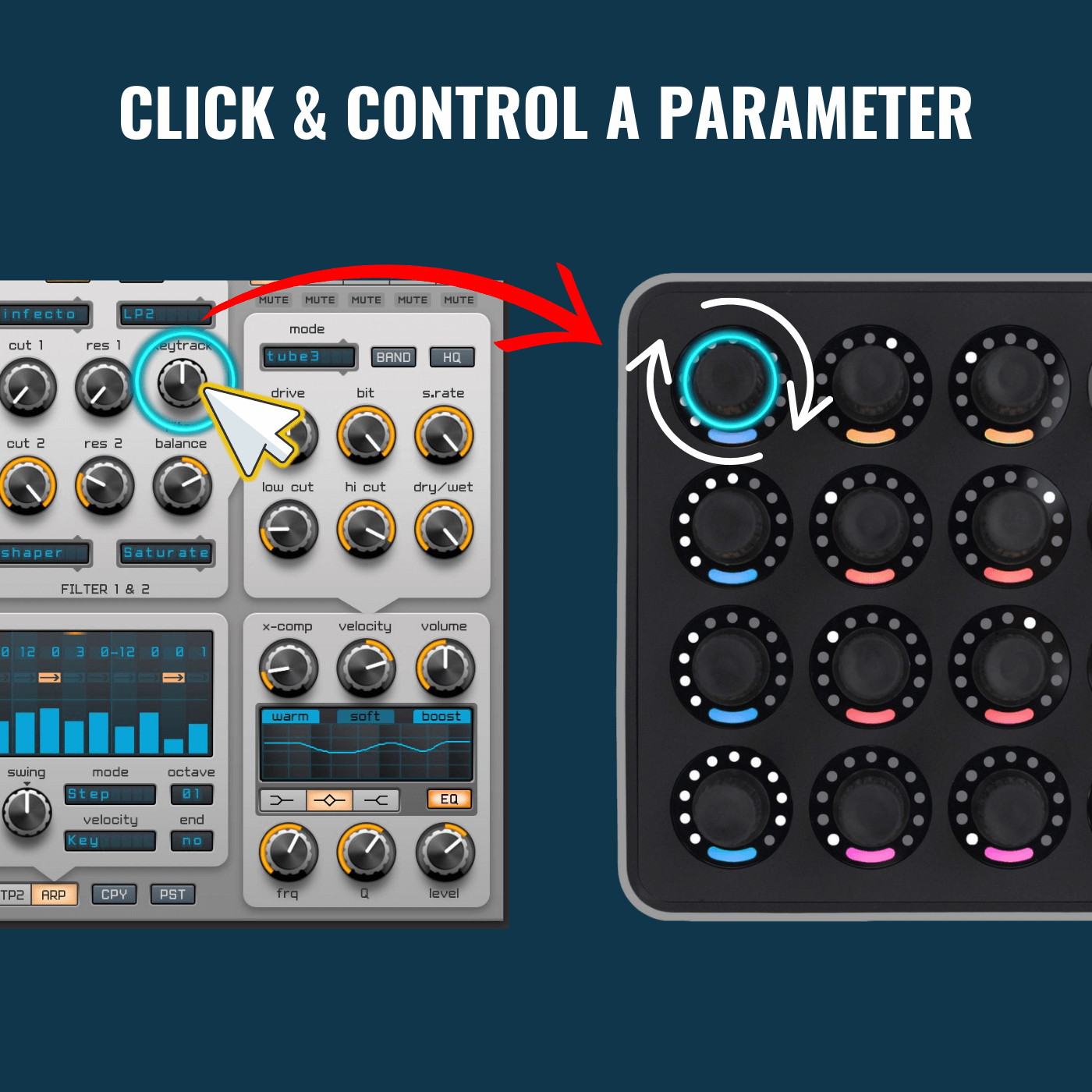
Click a parameter in the Massive X interface and control it using the first encoder on your Midi Fighter Twister.
(Note: for this to work, remove any parameters from the device configure tab first).
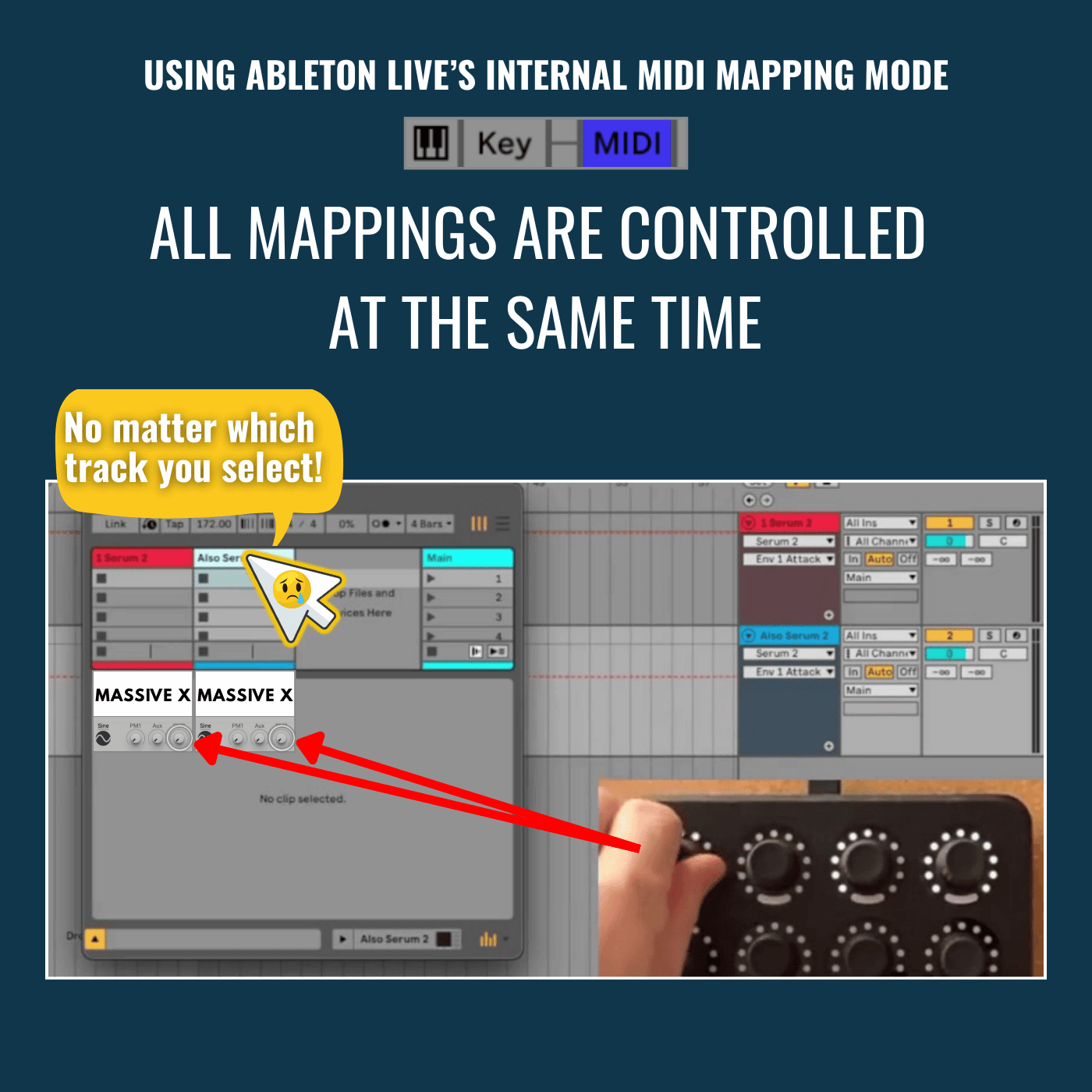
"can't i do this with Ableton live's midi mapping mode?"
When it comes to controlling VSTs, Ableton Live's internal MIDI mapping mode has some major limitations...
Massify X solves these problems
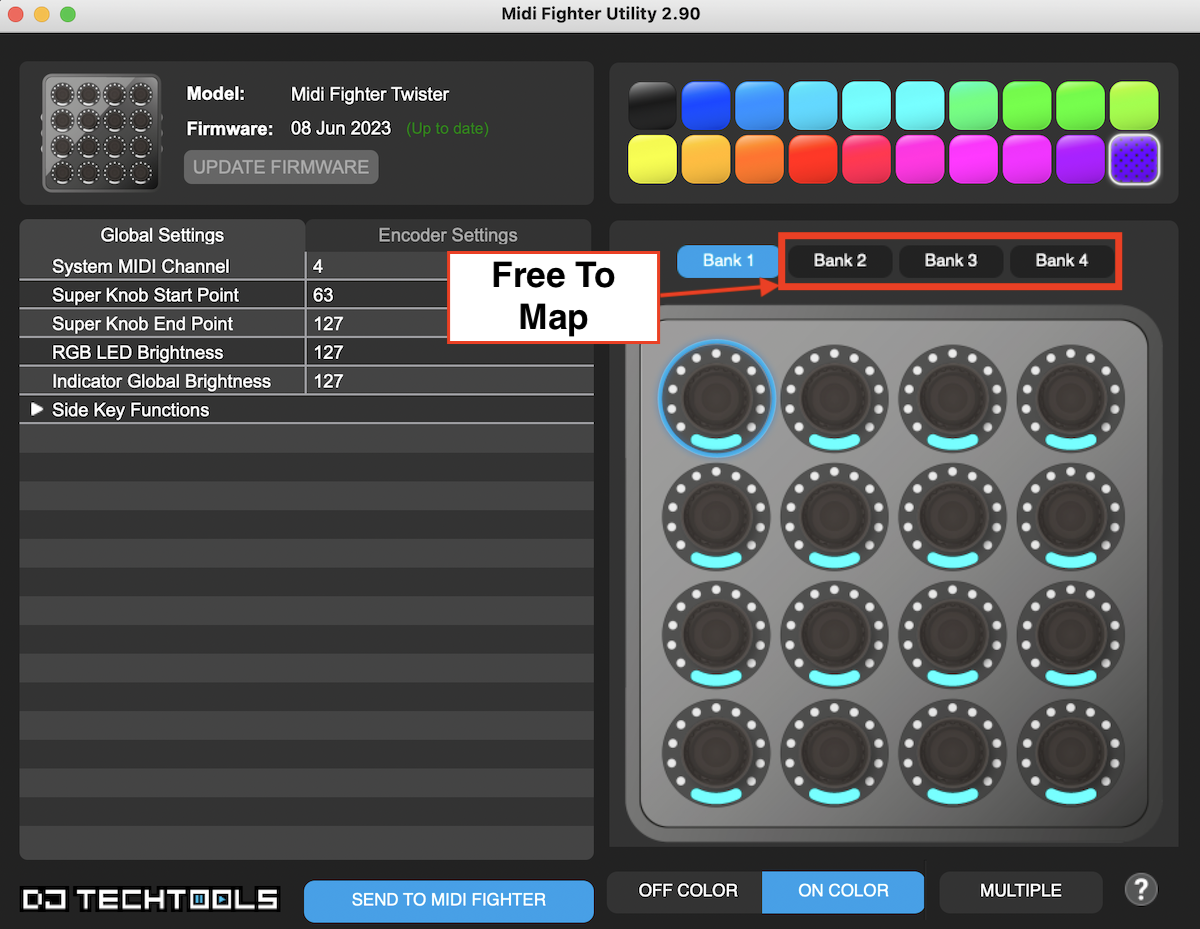
Optimized for the Midi Fighter Twister
Massify X uses only Bank 1 on the Twister. Banks 2–4 remain totally free for your own custom mappings
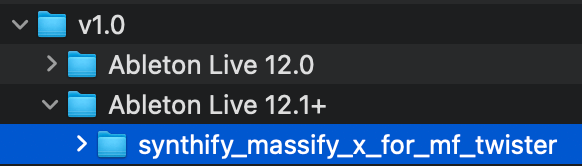
Native, Lightweight & Always Ready
(Note: The Massive X plugin is not included)
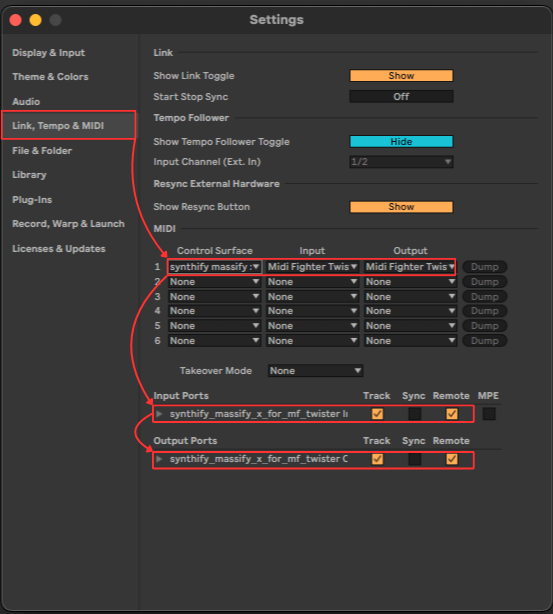


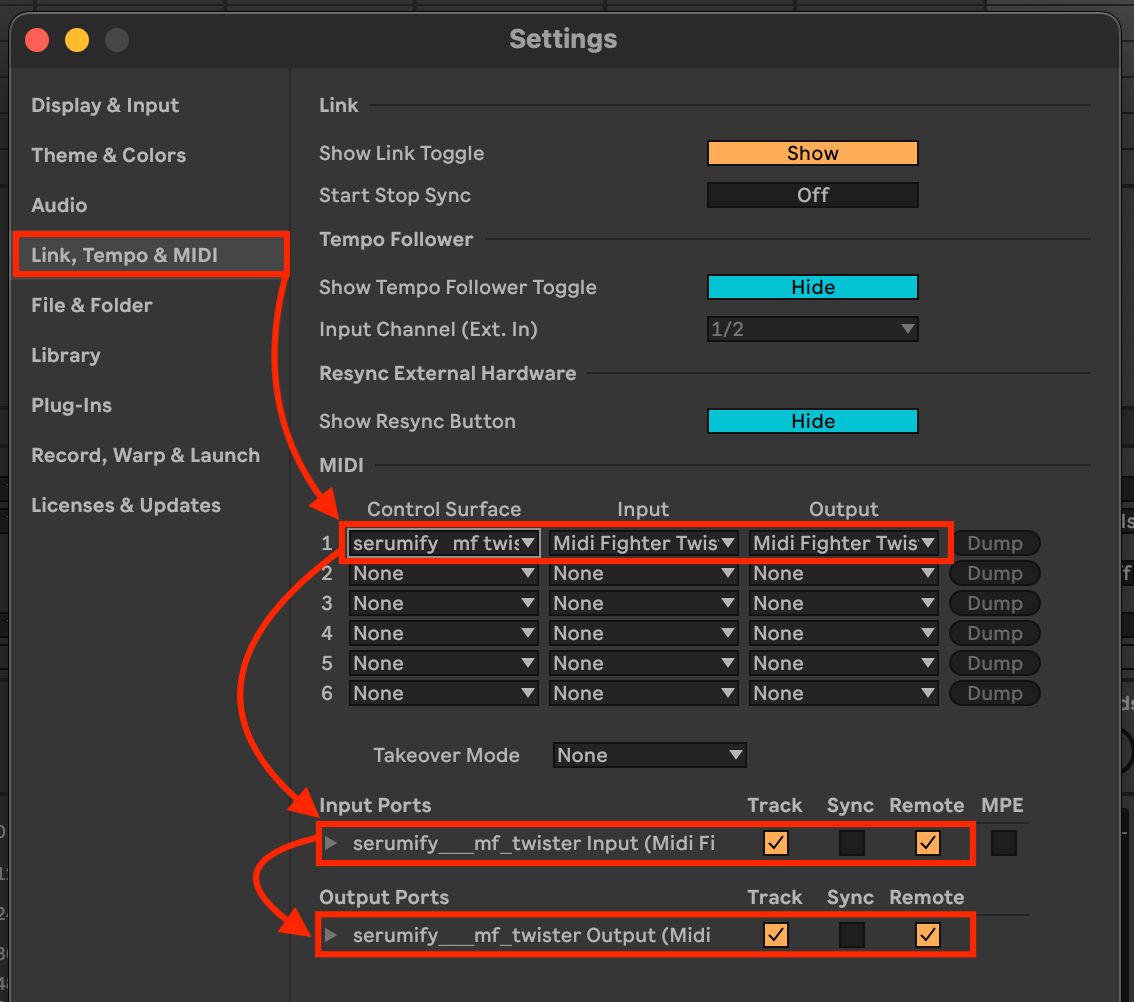
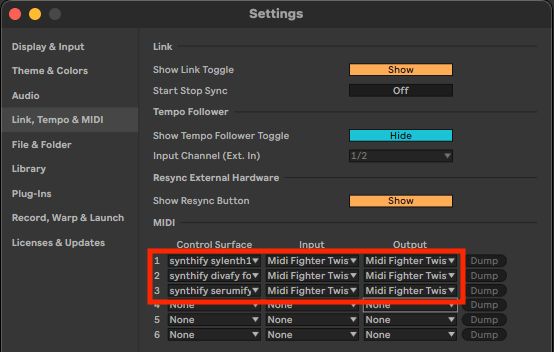

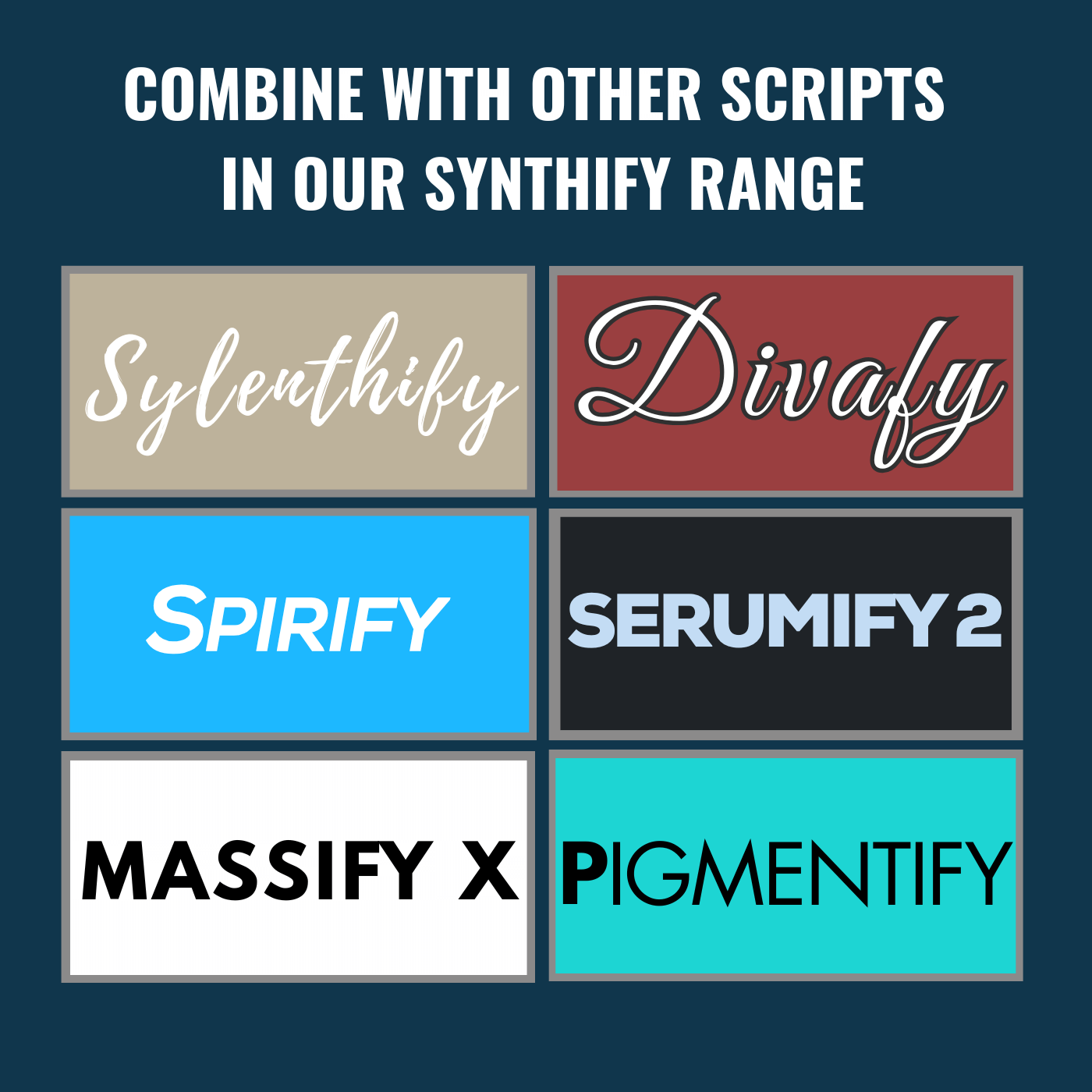
Combine & control multiple synth types
Sylenth1, Diva, Serum.. the list goes on!
Multiple scripts from our Synthify range can be combined in Ableton Live to give you the same instant control over various types of Synth vsts.
Trademark Notice
Massify X is an independent third-party script designed for compatibility with the Midi Fighter Twister and Massive X.
It is not affiliated with, endorsed by any brand mentioned. All product names and trademarks remain the property of their respective owners and are used solely for identification purposes.
Part of the Synthify Family
| Ableton Live Version | Live 11, Live 12 |
|---|
You may also like…
Related products
-

Divafy – Diva Control For Midi Fighter Twister
£18.00 Select options This product has multiple variants. The options may be chosen on the product page -

Serumify 2 – Serum 2 Control For Midi Fighter Twister
£18.00 Select options This product has multiple variants. The options may be chosen on the product page -
Sale!
Mixify – Akai MIDImix | Editable Ableton Live MIDI Remote Script
Original price was: £35.00.£24.99Current price is: £24.99. Select options This product has multiple variants. The options may be chosen on the product page -

Pigmentify – Pigments Control For Midi Fighter Twister
£18.00 Select options This product has multiple variants. The options may be chosen on the product page -
Kuala – Hercules P32 DJ for Ableton
£15.00 Add to basket